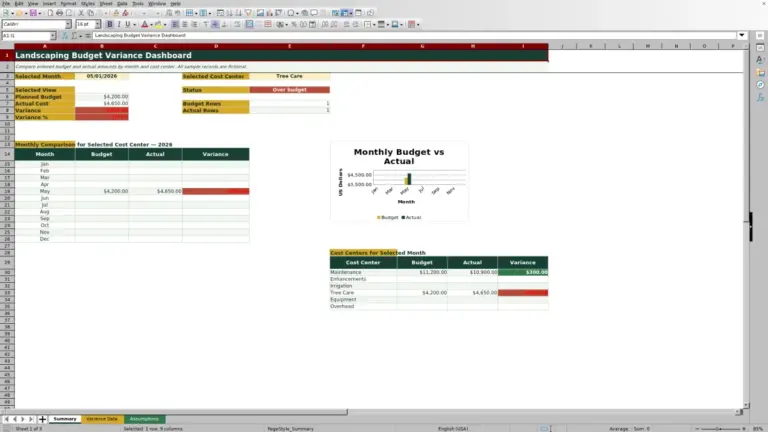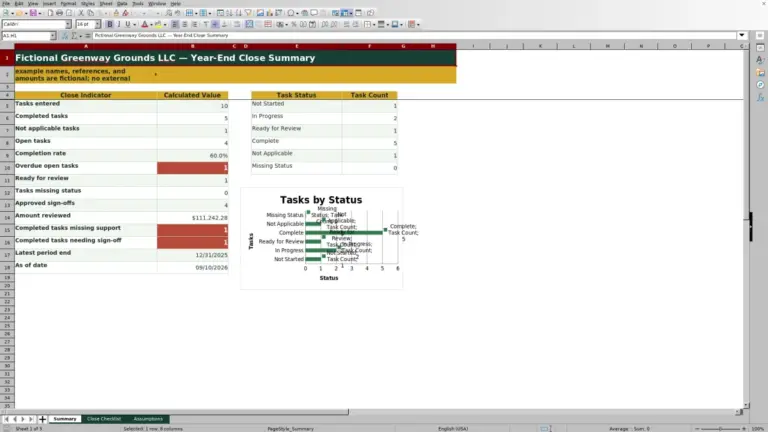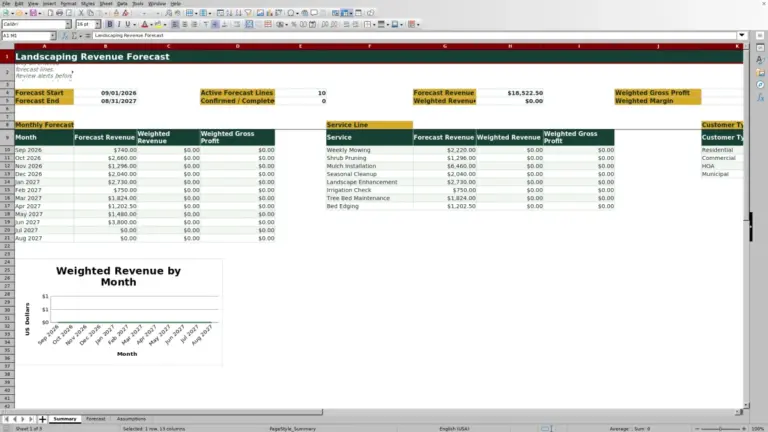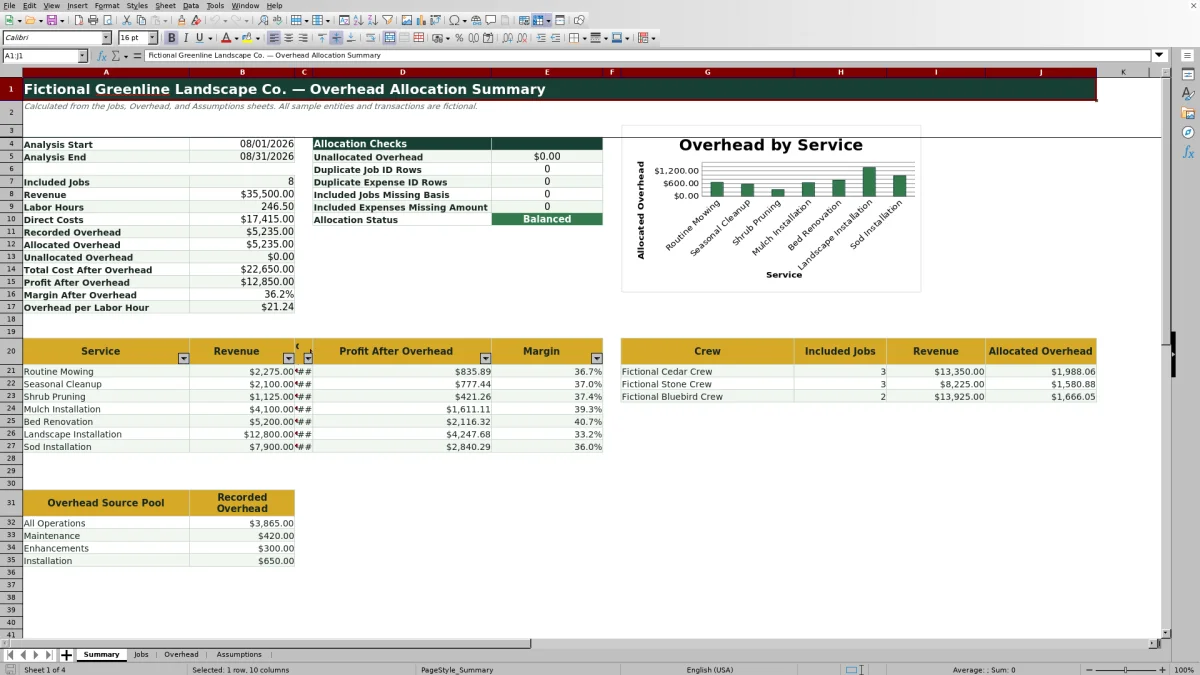
This Excel landscaping overhead allocation spreadsheet gives lawn care and landscaping business operators a structured way to distribute shared overhead across eligible jobs. The workbook connects job records, overhead expenses, allocation assumptions, and summary reporting so operators can evaluate costs without building allocation formulas from scratch.
Choose labor hours, equipment hours, direct cost, revenue, or equal per job as the allocation basis. The XLSX then calculates allocated overhead, total job cost, profit, and margin for each included job while summarizing post-overhead profitability by service and reporting overhead assigned to each crew.
How this workbook can help
- Connect shared administrative and operating expenses to the landscaping jobs that use company resources.
- Review revenue, allocated overhead, profit, and margin by landscaping service after the allocation is calculated.
- Compare included-job counts, revenue, and allocated overhead across three crew choices.
- Reconcile recorded and allocated overhead with checks for variances, duplicate IDs, and missing inputs.
What is in the file
How to get started
1. Set the analysis dates
Open the Assumptions sheet and enter the analysis period in cells B4 and B5. Only eligible job and overhead records dated within that period are included in the summary calculations.
2. Select the allocation basis
Choose an allocation method in Assumptions cell B6. Available choices are Labor Hours, Equipment Hours, Direct Cost, Revenue, and Equal per Job. Select the driver that most closely reflects how the business consumes shared resources.
3. Enter job activity
Use the Jobs sheet to record dates, unique job IDs, customers, properties, services, pools, crews, labor hours, equipment hours, direct costs, revenue, status, and the Include in Allocation choice. The sheet provides 100 input rows and calculates the basis quantity and job results in columns N through R.
4. Record shared expenses
Enter up to 100 expenses on the Overhead sheet. Give each expense a unique ID, choose an expense category and allocation pool, enter the amount, and select Yes when the expense should participate in the allocation.
5. Review and act on the results
Open Summary to inspect recorded overhead, allocated overhead, job profit, service margins, crew totals, and validation checks. Confirm that the allocation status reads Balanced before using the results to review pricing, service mix, or operating costs.
Situation: Shared Costs Can Distort Job Profit
Landscaping operators usually know the direct labor, materials, and equipment associated with a job, but office support, insurance, yard rent, software, marketing, repairs, and other shared expenses may remain outside the job-costing view. A job can appear profitable before overhead while contributing too little to support the company. This workbook addresses that situation by bringing included overhead and job activity into one allocation process.
Action: Set the Allocation Rules
The Assumptions sheet controls the analysis start date, analysis end date, and allocation method. Labor Hours is more suitable when crew time is the main driver of shared cost. Equipment Hours is more suitable when machine use drives support expenses. Direct Cost or Revenue may be more suitable when job scale is the main consideration, while Equal per Job may be more suitable when eligible jobs consume similar administrative effort.
Expenses can be assigned to All Operations or specifically to Maintenance, Enhancements, or Installation. Jobs use the corresponding operating pools, allowing company-wide expenses and pool-specific expenses to be distributed through the same operational method.
Action: Enter Eligible Jobs and Overhead
The Jobs sheet accepts 100 records with dates, unique IDs, customer and property labels, services, pools, crews, labor and equipment hours, direct costs, revenue, status, and inclusion choices. The Overhead sheet accepts 100 expense records with dates, unique IDs, vendors, descriptions, categories, pools, amounts, and inclusion choices.
A record participates when its date is inside the selected period and Include in Allocation is set to Yes. An included job also needs the quantity required by the chosen method. For example, a labor-hour allocation needs labor hours, while a revenue allocation needs revenue.
Result: Practical Labor-Hour Example
Consider an illustrative month with only two included Maintenance jobs. Job A has 20 labor hours, and Job B has 30 labor hours. If included overhead consists of $1,000 assigned to All Operations and $500 assigned to Maintenance, the eligible basis totals 50 labor hours. Job A receives 20/50 of each pool, or $600 in total overhead. Job B receives 30/50, or $900. The allocated amounts total the full $1,500 recorded overhead.
If Job A has $2,000 in revenue and $800 in direct cost, its total cost after overhead is $1,400, profit is $600, and margin is 30%. If Job B has $3,500 in revenue and $1,200 in direct cost, its total cost is $2,100, profit is $1,400, and margin is 40%. The interpreted result is that Job B absorbs more overhead because it uses more labor hours, yet it retains the higher margin because its revenue is larger relative to total cost.
Interpretation: Read Profitability and Reconciliation
The Summary sheet separates recorded overhead from allocated overhead and reports the remaining variance as unallocated overhead. A zero or near-zero variance indicates that included expenses were distributed to jobs with eligible basis quantities. The sheet also summarizes revenue, allocated overhead, profit, and margin by service; reports included jobs, revenue, and allocated overhead by crew; and shows recorded overhead by source pool.
A low service margin does not automatically identify the cause. It can reflect direct costs, the selected allocation driver, the amount of shared overhead, or the service's revenue. Operators should read the allocation alongside job conditions and confirm that the chosen basis represents resource use before changing prices or production targets.
Comparison: Excel Workbook and External Alternatives
This workbook functions as one complete operating method: set assumptions, enter jobs and expenses, calculate allocations, reconcile totals, and interpret service and crew reporting. The following comparison shows when that method or an external alternative may be more suitable.
| Option | Operating method | More suitable when | Consideration |
|---|---|---|---|
| This Excel workbook | Uses connected assumptions, job, overhead, and summary sheets with prefilled formulas and validation. | A landscaping business wants a transparent job-level allocation process and can maintain up to 100 job and 100 expense rows in Excel. | Choice lists and record ranges are fixed, and users need to preserve the calculated columns. |
| Paper form or manual calculation | Records costs on paper and allocates them with a calculator or separate notes. | Transaction volume is very small and no recurring job-level reporting is needed. | Recalculation, reconciliation, and duplicate detection require manual work. |
| Blank spreadsheet | Starts without a defined structure, formulas, checks, or reporting layout. | The operator needs a highly customized model and has the time and spreadsheet knowledge to design and test it. | The user must build allocation logic, validation, error checks, and summaries. |
| Dedicated field-service software | Combines job records with broader scheduling, dispatch, mobile, billing, or customer workflows. | The company needs integrated field operations and has the budget and implementation capacity for a software platform. | Overhead-allocation options depend on the platform and may require configuration or exported data. |
Next Decision: Correct Errors and Choose a Response
If unallocated overhead remains, check whether included jobs exist in the required pool, whether their dates fall inside the analysis period, and whether the selected basis field contains a usable value. For duplicate job or expense ID rows, assign a unique ID to each record. If the missing-basis or missing-amount checks are nonzero, complete the required job quantity or expense amount and recalculate.
A Review variance status means the absolute difference between recorded and allocated overhead is at least $0.01. Correct exclusions, pool mismatches, dates, and blank values before interpreting margins. Once the status is Balanced and the inputs reflect actual operations, the next decision is whether a low-margin service calls for pricing review, cost control, crew-process analysis, or a different allocation driver.
Frequently asked questions
Which allocation methods does the Excel workbook support?
The workbook supports Labor Hours, Equipment Hours, Direct Cost, Revenue, and Equal per Job. The selected method determines the allocation-basis quantity used for eligible jobs.
Can overhead be assigned to a specific landscaping operation?
Yes. An expense can be assigned to All Operations, Maintenance, Enhancements, or Installation. Jobs are also classified by operating pool so pool-specific overhead can be allocated to matching eligible jobs.
Can individual jobs or expenses be excluded from the allocation?
Yes. Both input sheets include an Include in Allocation field with Yes and No choices. Records must also fall within the selected analysis period to participate in the calculations.
How many job and overhead records can the workbook hold?
The Jobs sheet provides 100 record rows, from row 7 through row 106. The Overhead sheet provides another 100 record rows across the same row range.
What should I check when overhead does not fully allocate?
Check the analysis dates, inclusion selections, allocation pools, and the basis field required by the selected method. Also review the Summary checks for duplicate IDs, included jobs missing a basis quantity, and included expenses missing an amount.
Editorial responsibility

Nadia KesslerEstimates, customers and job workflows

Ethan ReedWorkbook QA, crews and business controls